
How to Mark Stainless Steel in Color with a Fiber Laser

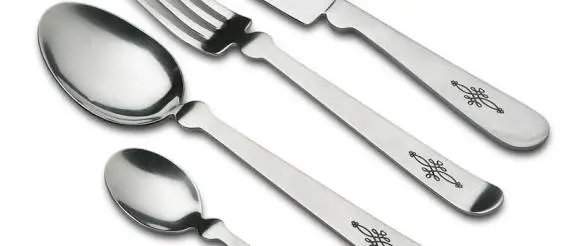
Most people know that a fiber laser can mark stainless steel in black, gray, or white. Fewer people realize that it can also create blue, gold, purple, green, red, and many other colors, with no ink, no paint, and no coating.
Color laser marking on stainless steel looks stunning. It is used on jewelry, watch parts, kitchenware, tool handles, name plates, phone cases, art pieces, and branded products. And because the color is created by the laser itself, it does not peel off like a sticker.
But it is also one of the most sensitive and tricky things you can do with a fiber laser. A tiny change in settings can turn a deep blue into brown. A different surface finish can change the whole color range.
In this guide, you will learn how to mark stainless steel in color with a fiber laser, how the colors are created, what equipment and settings matter, how to build a color chart, and how to fix common problems, all in plain and simple language.
How Can a Laser Create Color on Stainless Steel?
The laser does not add any color. Instead, it changes the surface of the metal so that light reflects differently.
Here is the process:
- The laser gently heats the surface of the stainless steel.
- The heat makes the surface react with oxygen in the air.
- A very thin transparent oxide layer forms on top of the metal.
- Light hits this layer and reflects from both the top of the oxide and the metal below.
- The two reflections interact, and we see a color.
This effect is similar to the rainbow colors you see in a soap bubble or an oil film on water. The color depends on how thick the oxide layer is.
- A very thin layer may look pale yellow or straw.
- A slightly thicker layer may look gold or brown.
- Thicker layers give purple, blue, and then other colors.
So to control color, you control how much heat the surface receives and how the oxide layer forms. This is why color marking is also called laser annealing or oxide coloring.
If you want to understand how this differs from other marking methods, read our guide on black marking vs. surface engraving on stainless steel and our explanation of the difference between engraving, etching, and printing.
Which Colors Can You Get?
The range depends on your laser, your settings, and the steel. In general, you may be able to produce:
- Straw or pale yellow
- Gold
- Bronze or brown
- Purple or violet
- Blue, from deep to light
- Green, in some setups
- Red or pink tones, in some setups
- Gray and black
Not every machine can produce every color. Some colors are difficult or unstable. Do not expect a perfect, full-spectrum rainbow from every laser.
What Kind of Laser Do You Need?
This is an important point. Color marking depends a lot on how finely you can control the laser pulse.
MOPA Fiber Lasers
MOPA lasers allow you to adjust the pulse width, which is how long each pulse lasts. This gives extra control over how heat is delivered to the steel. As a result, MOPA lasers are generally the best choice for a wide and repeatable range of colors.
Standard Q-Switched Fiber Lasers
Standard Q-switched lasers have a fixed or limited pulse width. They can still create some colors on stainless steel with careful control of speed, frequency, power, and focus, but the range is usually smaller and harder to repeat.
If color marking is a major goal for your business, check whether your machine offers adjustable pulse width before buying. If you are not sure what suits your needs, our team can help you choose from our fiber laser marking machines.
The Settings That Control Color
There is no single setting that makes blue or gold. Color comes from the combination of several settings working together.
Power
More power puts more energy into the surface. Too much power can burn the steel and produce dull brown or gray marks. Color marking usually needs lower to moderate power, enough to form the oxide layer without damaging the surface.
Speed
Slower speeds give the heat more time to build up, which tends to create thicker oxide layers and different colors. Faster speeds give lighter, thinner layers.
Frequency
Frequency controls how often the laser pulses. It changes how much energy each pulse has and how the pulses overlap. In many setups, frequency is the most powerful setting for changing color, and it is common to test many frequency values to find different colors.
Pulse Width (MOPA)
If your laser supports it, pulse width gives another strong lever for color control. Different pulse widths deliver heat differently and can create more stable and varied colors.
Hatch Spacing
Color marks are usually filled areas, so the spacing between the fill lines affects how much total heat the surface receives. Too wide and you see stripes. Too tight and you overheat the metal. Our guide on laser hatch spacing and mark quality explains this in detail.
Hatch Angle and Passes
Changing the angle of the fill lines or adding passes changes how evenly the oxide layer grows. Some colors need a single clean pass. Others need multiple passes with rotating angles.
Focus and Defocus
Focus has a big effect on color. A sharply focused spot concentrates energy and may engrave or burn the surface. A slightly defocused spot spreads the energy, which is gentler and often better for creating smooth, even oxide colors. Many color marking setups use a small, controlled defocus.
Lens
The lens changes the spot size and energy density. Short focal length lenses create smaller, more intense spots, and longer lenses spread the energy. Our guide on how to choose the right fiber laser marking lens explains how lens choice affects results.
To understand how power, speed, and frequency work together, read how to choose the right marking speed and power for fiber lasers.
Why Color Marking Is So Sensitive
Colors come from an oxide layer that is only a few hundred nanometers thick or less. A tiny change in thickness changes the color. That is why many things affect the result.
- Steel grade. Different stainless steels react differently.
- Surface finish. Polished, brushed, and matte surfaces change how the oxide forms and how color looks.
- Cleanliness. Oil, dust, or fingerprints cause patchy color.
- Heat in the part. A warm part from earlier marking can change the next result.
- Material thickness. Thin parts heat up and hold heat differently from thick ones.
- Machine condition. A dirty lens or an aging laser source can shift results.
- Ambient conditions. Air flow and temperature can slightly change oxide growth.
- Viewing angle. The same color can look different from different angles and lighting.
Because of all this, you should always test on a sample of the exact steel and finish you will use.
Step-by-Step: How to Mark Stainless Steel in Color
Step 1: Prepare the Material
Start with a clean, flat sample of the same steel and finish as your final part.
- Wash with soap and water.
- Wipe with isopropyl alcohol on a lint-free cloth.
- Dry completely.
- Handle with clean gloves, so no fingerprints are left.
Our guide on how to prepare jewelry for fiber laser marking covers cleaning and fixturing tips that also apply here.
Step 2: Hold the Part Securely
Any movement will blur the color area or cause uneven patches.
- Use a stable fixture, such as our fixture table for fiber laser marking machines.
- Keep the surface level.
- Use a rotary axis for round items. For tips on curved pieces, see our guide on how to mark logos on rings and other small curved objects.
Step 3: Set the Focus
Set the surface at the lens’s focal distance first. Then, if your process needs it, adjust the height slightly to create a controlled defocus. Keep notes on the exact height used, because it affects the color.
Step 4: Start with Gentle Settings
Begin with low power, moderate to fast speed, and a mid-range frequency. You want to start gently and work up to color. Starting too strong can burn the surface, and a burned surface will not produce clean color.
Step 5: Build a Color Test Chart
This is the most important step. A test chart shows you which settings produce which colors, and it becomes your reference palette.
- Draw a grid of small squares, for example 10 by 10.
- Choose one setting to change along the rows, such as frequency.
- Choose another setting to change along the columns, such as speed. If you have a MOPA laser, you can use pulse width instead.
- Keep all other settings fixed, including power, hatch spacing, focus, and passes.
- Mark the grid on a sample piece.
- Label each square with its settings so you can read them back later.
Step 6: Inspect the Chart Carefully
Look at the squares under good, neutral lighting. Check them from different angles.
- Which squares have even, clean color?
- Which are patchy, streaky, or dull?
- Which colors do you actually need?
- Which squares look different at different angles?
Pick the squares that look best and are the most uniform.
Step 7: Refine the Colors You Want
Narrow down the settings around your best squares. Make a second, finer chart that changes the values in smaller steps. Repeat until you have stable, repeatable settings for each color you need.
Step 8: Save a Color Palette
Save the settings for each color with clear names, such as “blue 1” or “gold 2”. Write down the steel grade, finish, lens, focus height, and any other notes. This saves a huge amount of time on future jobs.
Step 9: Mark Your Real Design
Use your saved palette to mark the final design.
- Apply each color as a separate fill layer in the software.
- Mark lighter colors first or last, depending on how your colors interact. Test the order on a sample.
- Let the part cool between colors if heat build-up changes the result.
- Avoid overlapping colors unless you have tested the result.
Step 10: Inspect and Clean
Check the finished part under good lighting. Gently clean away dust with a soft cloth. Do not rub hard, since the oxide layer is thin.
Tips for More Consistent Colors
- Keep your lens and optics clean. Dirty optics change the energy reaching the surface.
- Use the same steel and finish for each batch. Even small differences change the color.
- Hold the temperature steady. Let the part cool between marks.
- Use extraction and airflow consistently. Smoke and airflow can change oxide growth.
- Recheck settings when the machine ages or changes. A color palette can drift over time.
- Mark small test areas first when starting a new batch of steel.
- Avoid large solid areas in one pass if heat causes uneven color. Break big shapes into smaller sections.
- Keep a physical color reference sample to compare with new results.
How Surface Finish Changes the Color
The finish of the steel has a big effect on how color looks.
- Polished (mirror) finish: Gives the brightest, most vivid colors, but shows every fingerprint and small defect.
- Brushed finish: Colors blend with the grain direction and may look softer or streaky.
- Matte or bead-blasted finish: Colors are softer and less vivid, but more forgiving of imperfections.
The same settings can give noticeably different colors on different finishes, so always test on the finish you plan to use.
Design Tips for Color Marking
- Choose bold, simple shapes. Thin lines and tiny text are harder to keep clean in color.
- Use large enough areas. Small areas heat up quickly and may shift in color. For tiny details, see our guide on how to mark tiny text without losing readability.
- Plan the order of colors. Think about how neighboring colors might affect each other through heat.
- Use gradients carefully. True smooth gradients are hard. You can fake them with steps in a tested palette.
- Avoid very tight color boundaries. Heat can spread slightly into neighboring areas.
- Think about the viewing environment. Colors look different under warm, cool, and daylight lighting.
How Durable Are Laser Colors on Stainless Steel?
Color from a thin oxide layer is permanent in the sense that it is part of the metal, but it is thin, so it has limits.
- Normal handling and light wear: Usually fine.
- Strong abrasion, scrubbing, or heavy polishing: Can wear the color down.
- Harsh chemicals and cleaning agents: Can change or fade some colors.
- High heat: Can change the oxide layer and shift colors.
- Passivation or other treatments: May alter the color, so test before using on finished parts.
- Outdoor use: Test long-term performance before committing to production.
If your parts need to survive hard use, test them under realistic conditions. For parts that need a very durable mark, black marking or engraving may be a better choice. Our stainless steel guide explains the differences.
Troubleshooting Common Color Problems
The Colors Look Patchy or Streaky
- Clean the surface thoroughly
- Check hatch spacing and make it tighter and more even
- Rotate the hatch angle between passes
- Check that the part is level and in focus
- Break large areas into sections
The Colors Look Dull or Brown
- Reduce power
- Increase speed
- Check the frequency and try adjusting it
- Check the focus, and try a small defocus
- Make sure you are not overheating the surface
The Colors Change from Mark to Mark
- Let the part cool between marks
- Check for dirt on the lens
- Make sure the steel batch and finish are consistent
- Check that the focus height is exactly the same
- Recheck the machine condition
I Cannot Get a Certain Color
- Test a wider range of frequency or pulse width values
- Try a slight defocus
- Check whether your laser type supports that color
- Try a different steel finish
- Accept that some colors may not be possible on your machine
The Surface Looks Rough or Engraved
- Reduce power
- Increase speed
- Increase hatch spacing slightly
- Reduce passes
- Check that the focus is not too sharp
The Color Rubs Off or Fades
- Check whether you are cleaning too aggressively
- Consider a deeper black mark or engraving for wear-heavy parts
- Consider a clear protective coating if appropriate for your product
Common Mistakes to Avoid
- Using too much power and burning the surface
- Skipping the color test chart
- Testing on a different steel or finish from the final part
- Marking dirty or oily surfaces
- Changing several settings at once
- Ignoring focus height
- Not letting the part cool between marks
- Expecting every color from a standard laser
- Not saving or documenting working settings
- Marking small, detailed areas in color without testing
- Not wearing laser safety glasses
Laser Safety
Fiber lasers can seriously injure your eyes, and shiny stainless steel can reflect the beam in unexpected directions.
- Wear laser safety glasses rated for 1064 nm.
- Do not look at the beam or its reflections.
- Use fume extraction when marking metals.
- Keep reflective tools away from the beam path.
- Keep the machine away from children and untrained people.
- Follow your machine manufacturer’s safety instructions.
Quick Checklist for Color Marking Stainless Steel
Before marking
- Same steel grade and finish as the final part
- Surface clean and dry
- Part held firmly and level
- Lens and optics clean
Testing
- Start with gentle settings
- Build a color chart with two settings changing
- Inspect from different angles and lighting
- Refine around the best results
- Save a color palette with notes
Marking
- Apply each color as a separate layer
- Let the part cool between colors
- Inspect the finished part
- Clean gently
Always
- Wear laser safety glasses
- Use fume extraction
- Retest when the steel, finish, or machine changes
FAQ
Can a fiber laser mark stainless steel in color?
Yes. By carefully controlling heat, a fiber laser can create a thin oxide layer that appears in different colors, such as gold, blue, purple, and brown.
Do I need a MOPA laser for color marking?
A MOPA laser gives you more control and a wider, more repeatable range of colors. Some colors may be possible with standard lasers, but the range is usually limited.
How does the laser create color without paint?
The laser forms a very thin transparent oxide layer on the steel. Light reflecting from this layer and the metal below combines to create color, similar to a soap bubble.
What settings control color the most?
Frequency, speed, power, pulse width (on MOPA lasers), hatch spacing, and focus all play a part. Frequency and pulse width are often the most powerful for changing color.
Why are my colors inconsistent?
Common causes include dirty surfaces, a dirty lens, heat build-up in the part, changes in focus, and differences between steel batches and finishes.
Does the surface finish affect color?
Yes. Polished surfaces give the most vivid colors, and brushed or matte surfaces give softer or different-looking results.
Are laser-colored marks permanent?
They are part of the metal and resist normal handling, but they are thin. Heavy abrasion, harsh chemicals, and strong heat can change or remove them.
Can I mark color on other metals?
Some other metals, such as titanium, can also show oxide colors, though the settings and results are different. Always test on each material.
Is color marking good for QR codes or small text?
Color can look nice, but for scanning and fine detail, high-contrast black marking is usually more reliable. See our guide on how to improve QR code readability on small metal components.
Can I color mark gold-plated or plated items?
Color oxide marking relies on the steel surface, so plated surfaces behave differently. Our guide on laser marking gold-plated objects explains how plating changes the process.
Conclusion
Color marking on stainless steel is not magic, but it does take patience. The laser forms a very thin oxide layer, and the thickness of that layer decides the color. To control it, you need a clean, well-prepared surface, careful focus, gentle settings, and above all a test chart that shows how your own machine and your own steel respond.
Start with low power and moderate speed, build a grid that changes frequency and speed, inspect the results under good lighting, and save a palette of the colors that work. Keep your optics clean, let the part cool between marks, and retest whenever the steel, finish, or machine changes. Do this consistently and you can create vivid, permanent colors that make your products stand out.
If you are setting up or upgrading your marking workshop, explore our fiber laser marking machines, field lenses, rotary axes, and fixture tables at MCast 3D. If you are not sure which machine suits your color marking needs, contact our team and we will help you choose.