
Laser Marking on Stainless Steel: Black Marking vs Surface Engraving

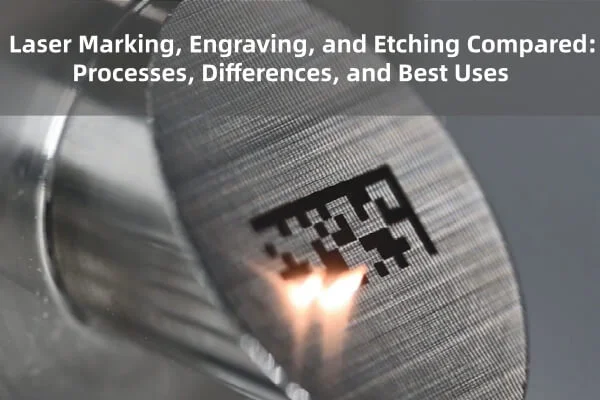
Stainless steel is one of the most popular materials for laser marking. It is used in tools, kitchenware, surgical instruments, name plates, watches, and jewelry. And it is also one of the easiest metals to mark well with a fiber laser.
But when you start marking stainless steel, you quickly find that there is more than one way to do it. Two methods come up again and again: black marking and surface engraving.
They can both put a logo, a serial number, or a QR code on the same piece of steel, but they work in different ways, look different, and suit different jobs. Choosing the wrong one can mean a faint mark, extra rework, or a product that does not meet customer needs.
In this guide, you will learn the difference between black marking and surface engraving on stainless steel, how each one works, and how to choose the right one for your project, in plain and simple language.
Why Stainless Steel Is So Good for Laser Marking
Stainless steel is strong, clean, and stable. it does not rust easily, it handles heat well, and it reacts to a fiber laser in predictable ways.
A fiber laser marker works at 1064 nm, a wavelength that metals absorb well, That is why stainless steel is such a common material for fiber laser marking.
With the right settings, you can create:
- Dark, high-contrast marks
- Light, frosted marks
- Deep, tactile engravings
- Colored marks, in some cases
The type of mark depends on how much energy you put in, how long the heat stays, and whether you remove material or just change the surface.
What Is Black Marking on Stainless Steel?
Black marking, often called annealing or oxide marking, uses heat to change the surface of steel without removing much material.
Here is how it works in simple terms:
- The laser heats the surface of the stainless steel gently and evenly.
- The heat causes a thin oxide layer to form on the surface.
- This oxide layer changes how the surface reflects light, creating a dark mark.
The result is a smooth, dark mark that sits almost level with the surface. You can see it clearly, but if you run your finger over it, you will hardly feel any difference.
What Does It Look Like?
Depending on your laser and settings, an annealed mark can appear as:
- Dark gray
- Deep black
- Brown, blue, or other temper colors with different heat levels
Many standard Q-Switched fiber lasers can create dark gray to near-black marks on stainless steel with the right settings. MOPA lasers give you extra control over pulse width, which makes it easier to create deeper blacks and a wider range of colors.
Where Is Black Marking Used?
- Surgical and medical instruments
- Food-related and kitchen items
- Name plates and tags
- Tools and equipment where a smooth surface is important
- Barcodes and QR codes that need high contrast
- Stainless steel jewelry and watches
Advantages of Black Marking
- High Contrast. The dark mark on a light metal is very easy to read.
- Smooth surface. The mark stays flat, which is great for items that are cleaned often or touch skin.
- Minimal material removal. The surface is not cut into, so the part is weakened.
- Good for tiny details. Fine text and small codes can look sharp.
- Often preferred in regulated industries, where a smooth, clean mark is required.
Limitations of Black Marking
- It is shallow. Heavy abrasion or aggressive polishing can wear it away.
- Settings are more sensitive. Slight changes in speed, power, or frequency can change the color.
- It needs a good surface. The finish of the steel affects how dark the mark appears.
- It is slower than light marking. because it often uses slower speeds and careful heat control.
What Is Surface Engraving on Stainless Steel?
Surface engraving works in a different way. Instead of just changing the surface with heat, the laser removes a thin layer of metal.
Here is how it works:
- The laser fires stronger pulses at the surface.
- Each pulse melts and vaporizes a tiny amount of metal.
- Repeating this removes material and creates a recess in the surface.
You end up with a mark that is physically cut into the steel. You can often feel it with your fingernail.
What Does It Look Like?
Engraved marks on stainless steel often look:
- Light gray or frosted white
- Matte or rough compared with the surrounding metal
- Darker at deeper levels, depending on setting and lighting
The contrast is created mainly by light and shadow in the engraved area, not by color. That means the look change with the lighting angle.
Where Is Surface Engraving Used?
- Tools and machine parts that face heavy wear
- Industrial serial numbers and part identification
- Items that will be painted, coated, or heavily handled
- Parts that need a deep, permanent mark
- Outdoor or rough-use equipment
Advantages of Surface Engraving
- Very durable. The mark is cut into the metal, so it survives wear better.
- You can feel it. This helps with identification and tamper resistance.
- Works on many surface finishes. It does not depend as much on the steel’s reflectivity.
- Good for rough environments. It holds up to abrasion, handling, and weather.
Limitations of Surface Engraving
- Lower contrast. The mark may be harder to read, especially on shiny metal.
- Rougher surface. The engraved area can trap dirt or moisture.
- More heat and material removal. Deep engraving can affect thin parts.
- Slower for deep marks, because multiple passes may be needed.
- May not suit hygiene-sensitive uses, where a smooth surface is important.
Black Marking vs Surface Engraving: Side-by-Side
| Feature | Black Marking (Annealing) | Surface Engraving |
| How it works | Heat creates a dark oxide layer | Laser removes a thin layer of metal |
| Look | Dark gray to black, smooth | Light gray or frosted, textured |
| Feel | Almost flat | Recessed, can be felt |
| Contarst | High on light metal | Depends on light and angle |
| Durability | Good, but shallow | Very high |
| Smoothness | Stays smooth | Rougher surface |
| Best for fine detail | Excellent | Good, with care |
| Best for hygiene-sensitive items | Often preffered | Less suitable |
| Settings sensitivity | More sensitive | More forgiving |
| Typical speed | Slower, controlled | Slower for deep marks |
These are general guidelines. The results depend on your machine, lens, and steel grade.
Which Method Should You Choose?
There is no single best method. The right choice depends on what the mark needs to do.
Choose Black Marking When:
- You need high contrast for text, logos, or codes
- The surface must stay smooth and easy to clean
- You are marking medical, food, or consumer items
- You want sharp, small details or small QR codes
- The mark will not face heavy abrasion
If you are marking codes, our guide on how to create permanent QR codes with a fiber laser marker explains why contrast matters so much for scanning.
Choose Surface Engraving When:
- The mark needs to survive heavy wear
- You want a tactile, deep mark
- The part will be painted or coated afterwards
- It is an industrial identification mark that must last for years
- The environment is rough for outdoors
Consider a Combination
Some jobs benefit from both
- Engrave lightly first, then use annealing settings to darken the engraved area.
- Use engraving for a serial number and annealing for a logo on the same piece.
A test on scrap material will show you what works best for your parts.
Does Laser Marking Affect Corrosion Resistance?
This is an important question, especially for medical, food, and outdoor items.
Stainless steel resists rust because of a thin protective layer on its surface. Heat and material removal can affect that layer.
- Annealing, when done with suitable settings, is widely used on medical and food-grade parts because it keeps the surface smooth and does not remove material.
- Deep engraving removes material and can create rougher areas that hold moisture or dirt, which may affect corrosion resistance in harsh conditions.
- Too much heat from any method can damage the protective layer.
If your product has strict requirements, such as medical or food standards, check the rules for your industry. Some users also passivate the part after marking to restore the protective layer. Always follow your industry’s guidelines, and test the finished parts.
How Surface Finish and Steel Grade Change the Result
Not all stainless steel is the same, and the same settings can look different on different surfaces.
- Polished (mirror) finish: Very reflective. Annealed marks may look lighter, and engraved marks may look sharper.
- Brushed finish: Marks tend to blend in with the grain, and contrast can be lower.
- Matte or bead-blasted finish: Often gives good, even marks with less reflection.
- Steel grade: Different grades, such as 304 and 316, respond slightly differently. Always test on the grade you use.
Clean the surface before marking. Oil, dust, and fingerprints can cause uneven color.
Laser Settings: A Simple Overview
Exact settings depend on your machine, but the general idea is the same.
For Black Marking
- Lower to moderate power to heat, not remove, the surface
- Slower speeds to build up even heat
- Higher frequency for gentle, steady heating
- Tight, even hatch spacing for a smooth, solid fill
- Often one pass, sometimes more, depending on the darkness needed
For Surface Engraving
- Higher power to remove material
- Moderate speed
- Lower frequency for stronger pulses
- Multiple passes for more depth
- Allow cooling between passes on this parts
Our detailed guide on how to choose the right marking speed and power for fiber lasers explains these settings and shows how to build a test grid to find your best values.
Lens and Focus Matter
The lens affects both methods.
- A short focal length lens, like an F-163 or F-210, creates a smaller, sharper spot. This is great for small black marks and fine engraving.
- A longer focal length lens covers a bigger area but spreads the energy, so you may need slower speeds or more power.
- Poor focus gives weak, blurry and uneven marks in both methods.
- See our guide on how to choose the right fiber laser marking lens, and browse our fiber laser marking machine field lenses.
Step-by-Step: How to get a Good Mark on Stainless Steel
- Identify the steel grade and finish.
- Clean the surface with soap, water, and alcohol, then dry it completely.
- Hold the piece firmly with a fixture, such as our fixture table for fiber laser marking machines.
- Set the focus carefully.
- Choose your method: black marking or surface engraving.
- Run a test grid on scrap of the same material, changing power and speed.
- Inspect the marks under good light or a magnifier.
- Choose the best result that uses the least energy.
- Save your settings.
- Mark the final piece, then clean and inspect it.
If you are marking jewelry or watches, our guide on how to prepare jewelry for fiber laser marking share more preparation tips that also apply to stainless steel.
Troubleshooting Common Problems
The Black Mark Looks Gray or Weak
- Slow the speed slightly
- Adjust the frequency
- Check the focus
- Clean the surface
- Increase power in small steps
The Mark Looks Uneven or Patchy
- Check that the piece is level
- Reduce hatch spacing
- Make sure the surface finish is the same across the area
- Clean the lens and piece
The Engraving Is Too Shallow
- Increase power in small steps
- Add another pass
- Lower the frequency
- Check that the focus is correct
The Edges Are Rough or Burnt
- Reduce power
- Increase speed
- Allow cooling between passes
- Check the focus
The Part Is Warping or Discoloring
- Reduce power
- Reduce passes
- Let thin parts cool between marks
Common Mistakes to Avoid
- Using engraving settings when you want a smooth, black mark
- Using too much power for annealing, which turns it into engraving
- Ignoring surface finish and steel grade
- Skipping the test mark
- Marking dirty or oily surfaces
- Forgetting the focus
- Not saving good settings
- Ignoring corrosion requirements on medical or food parts
Laser Safety
Fiber lasers can cause serious eye injury, even through reflection from shiny steel.
- Wear laser safety glasses rated for 1064 nm.
- Use fume extraction, since marking metal creates fumes and fine particles.
- Keep reflective items away from the beam path.
- Keep the machine away from children and untrained users.
- Follow your machine manufacturer’s safety instructions.
Quick Decision Checklist
Choose black marking if:
- High contrast and smoothness matter most
- The item is medical, food-related, or consumer-facing
- You are marking small text or codes
Choose surface engraving if:
- Durability and depth matter most
- The part faces heavy wear or coating
- The mark must be felt
Always:
- Clean the steel
- Test on scrap
- Check focus
- Save your settings
- Follow industry requirements
FAQ
What is black marking on stainless steel?
It is a laser process, often called annealing, that heats the surface to form a dark oxide layer without removing much material. The mark is smooth, dark, and high in contrast.
Is black marking permanent?
It is very durable for most uses, but it is shallow. Heavy abrasion or aggressive polishing can wear it down, so choose engraving for rough environments.
Which is better for stainless steel, annealing or engraving?
Neither is better in every case. Annealing is best for smooth, high-contrast marks, and engraving is best for deep, wear-resistant marks.
Can any fiber laser do black marking?
Many fiber lasers can create dark marks with careful settings. MOPA lasers offer extra control over pulse width, which can help produce deeper blacks and color marks.
Does laser marking damage stainless steel?
With suitable settings, damage is minimal, especially with annealing. Deep engraving and excess heat can affect the surface, so test and follow your industry’s requirements.
Can I mark QR codes on stainless steel?
Yes. Black marking is often preferred because the high contrast helps phones and scanners read the code.
Why does my mark look different on polished and brushed steel?
Surface finish changes how light reflects. Polished steel is more reflective, and brushed steel can hide some of the contrast, so always test on the finish you use.
Should I passivate stainless steel after laser marking?
Some industries recommend it to restore the protective layer. Follow the standards that apply to your product.
Conclusion
Black marking and surface engraving are two different tools for the same material.
Black marking gives you a smooth, high-contrast mark, which is perfect for fine details, codes, and clean-surface products. Surface engraving gives you a deeper, tougher mark that holds up in rough conditions. Choose the one that matches how the item will be used, test on scrap before the real job, and keep your settings notes for next time.
If you are setting up or upgrading your laser marking workshop, explore our fiber laser marking machines, lenses, rotary axes, and fixture tables at MCast 3D. If you are not sure which setup fits your stainless steel work, contact our team and we will help you choose.