
How to Remove Cured Resin from an FEP Film Without Damaging It

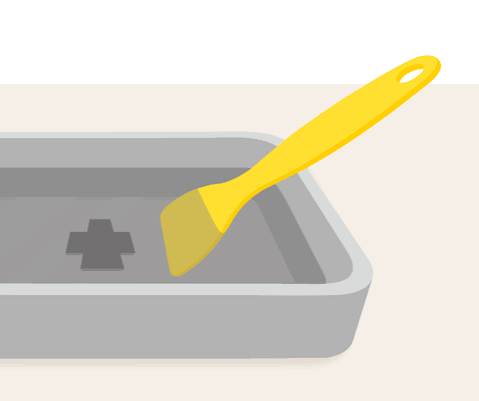
Every resin printer owner meets this problem sooner or later. A print fails, you open the vat, and there it is: a hard, cured chunk of resin stuck to the bottom of the film.
The temptation is to grab the nearest tool and scrape it off. That is also how many people end up with a scratched, cloudy, or torn film and a printer that suddenly starts failing again.
The good news is that you can remove cured resin from an FEP film safely. It takes a little patience, the right tools, and a gentle technique. In this guide, you will learn how to remove cured resin from an FEP film without damaging it, what tools to use, what to avoid, and how to tell whether the film is still good enough to reuse.
What Is an FEP Film and Why Is It So Delicate?
The FEP film is the thin, clear sheet stretched across the bottom of your resin vat. Its job is to let UV light pass through while giving cured layers a non-stick surface to peel away from.
It works well because it is smooth, slippery, and clear. But those same qualities make it easy to damage.
- It is soft. It scratches easily, especially with metal tools.
- It is thin. A sharp edge can dent or puncture it.
- It must stay clear. Scratches and cloudy marks scatter UV light and weaken the print.
- It must stay tight. A film that is stretched, loose, or wrinkled will cause print problems.
Many printers also use NFEP film, a similar type of release film with slightly different properties. The cleaning method is much the same for both. If you want to learn how they compare and when to replace them, read our complete guide to NFEP film for resin 3D printers.
Why Cured Resin Ends Up on the Film
Knowing the cause helps you prevent the problem later. Cured resin usually ends up on the film because of:
- A failed print. The model detaches from the build plate and stays in the vat.
- Broken supports. Small support pieces snap off and fall into the resin.
- Poor plate adhesion. The first layers do not stick well enough to the build plate.
- Unlevel build plate. Part of the plate sits too close or too far from the film.
- Incorrect exposure. Too little exposure leaves weak layers that break away.
- Cold or poorly mixed resin. The resin behaves differently and print quality drops.
- Old or damaged film. A worn film can hold on to cured resin more than a fresh one.
If failures are happening often, our guide on why resin 3D prints fail can help you find the real cause.
What You Will Need
Have your tools ready before you start. Using the wrong tool is the most common way to damage a film.
Safe tools
- A plastic scraper or a flexible plastic spatula (the kind that comes with many resin printers)
- A silicone spatula or scraper, which is soft and flexible
- An old plastic card, such as a loyalty card, with the corners rounded off
- A resin filter and a clean funnel
- A clean, empty container or the original resin bottle
- Nitrile gloves
- Safety glasses
- Lint-free cloths or soft paper towels
- Isopropyl alcohol (IPA), for cleaning
- Good lighting
Tools to avoid
- Metal scrapers, razor blades, or knives
- Screwdrivers or sharp tools
- Hard or sharp-edged plastic
- Rough sponges or abrasive pads
- Anything with a burr or a chipped edge
A metal tool can scratch the film in one careless stroke. Even a plastic tool can scratch if it has a sharp edge, so check yours first and round off any rough corners.
Safety First
Liquid resin is a skin irritant, and cured resin pieces can have a wet, sticky surface. Before you begin:
- Wear nitrile gloves and eye protection.
- Work in a well-ventilated space.
- Cover your work surface with paper or a mat.
- Keep children and pets away.
- Have paper towels and a waste container ready.
Our guide on resin 3D printing safety covers ventilation, gloves, storage, and waste disposal in detail.
Step-by-Step: How to Remove Cured Resin from the Film
Step 1: Stop and Switch Off the Printer
If a print has just failed, stop the printer and turn it off. Do not keep running the Z-axis up and down, because pieces on the film can be pushed into it and cause damage.
Step 2: Remove the Build Plate
Carefully lift the build plate away and set it aside on a protected surface. If any cured resin is stuck to the plate, you can deal with it later.
Step 3: Take Out the Vat
Gently remove the vat from the printer. Hold it level so liquid resin does not spill onto the printer screen. A spill onto the screen can cause permanent damage, so take your time.
Step 4: Pour the Resin Through a Filter
Pour the liquid resin slowly through a clean resin filter into a clean container or bottle. This captures cured bits and keeps your good resin usable.
- Pour slowly and steadily.
- Hold the vat over the funnel at a gentle angle.
- Use a soft tool to guide any resin that clings to the sides.
- Leave any large cured pieces in the vat for now.
If any cured pieces fall into the filter, you can dispose of them later.
Step 5: Look at the Film Carefully
With the resin out, place the vat in good light and look at the film from above and from the side.
- Where are the cured pieces?
- Are they large chunks, thin sheets, or tiny specks?
- Is the film stretched, scratched, or dented?
This quick inspection tells you which technique to use.
Step 6: Remove the Cured Resin Gently
Now comes the careful part. The best method depends on the size and shape of the cured piece.
For large chunks and sheets
- Hold your plastic scraper or silicone spatula at a very low angle, almost flat against the film.
- Slide the edge under the side of the cured piece, where it is thinnest or loosest.
- Apply gentle, steady pressure and lift the piece slowly.
- If it resists, do not force it. Move to another edge and try again.
- Once it loosens, peel it away gently.
The key is a low angle and light pressure. A steep angle and a hard push are what cause scratches and dents.
For thin, stuck-on layers
- Use a flexible silicone spatula or rounded plastic card.
- Push gently from the edge inward, moving across the surface with light pressure.
- Work in one direction rather than scrubbing back and forth.
- Stop and check the film often.
For small specks and tiny fragments
- Use a silicone spatula or a clean, soft cloth lightly dampened with IPA.
- Gently wipe, without pressing hard.
- Use the filter to catch any pieces that come loose.
Never scrub, scratch, or dig at the film. If a piece will not come off easily, take a break and try again from a different angle.
Step 7: Do Not Peel the Film Off the Vat
Unless you plan to replace it, never peel the film off the frame to remove stuck resin. Peeling or stretching it can damage the film and change its tension.
Step 8: Clean the Film
Once the cured resin is gone, clean the film.
- Wipe the film gently with a soft, lint-free cloth lightly dampened with IPA.
- Use light, even strokes in one direction.
- Do not use abrasive cloths or pads.
- Wipe away any remaining liquid resin from the edges and sides of the vat.
- Let the film dry completely before use.
Keep IPA away from heat and open flames, and use it in a well-ventilated area.
Step 9: Inspect the Film Again
Hold the vat up to a light, or look through the film against a bright surface. Check for:
- Scratches. Light surface scratches may be acceptable. Deep ones are not.
- Cloudy or white areas. These weaken light and can cause print failures.
- Dents or dimples. These can catch cured layers and cause failures.
- Holes or tears. These need immediate replacement, as resin can leak onto the screen.
- Loose or wrinkled film. Poor tension leads to poor prints.
- Tight film. Over-tight film can tear and reduce film life.
Step 10: Clean the Build Plate and Check the Screen
Remove any cured resin from the build plate using a plastic scraper, and wipe it clean. Before you put the vat back, also look at the printer screen for resin spills or marks. If you find any, clean them carefully with the printer switched off and unplugged. If you notice marks that will not wipe away, read our guide on when to replace a resin printer’s LCD screen.
When Should You Replace the Film Instead?
A film is a consumable part, and it does not last forever. Some damage cannot be repaired, and trying to save a bad film can cost you more in failed prints and wasted resin.
Replace your film if:
- It has deep scratches you can feel with a fingernail
- It looks cloudy or foggy across a large area
- It has holes, cuts, or tears
- It has permanent dents or dimples
- It has become loose, wrinkled, or overstretched
- You see frequent failures that settings do not explain
- It has been used for a long time and quality is dropping
A fresh film costs far less than a failed batch of prints, a wasted bottle of resin, or a damaged screen. If you are not sure, a new film is usually the safer choice.
What to Do With the Removed Cured Resin
Cured resin bits are generally treated as solid waste, but there are a few safety points:
- Make sure the pieces are fully cured. If they feel sticky or wet, place them in sunlight or under a UV curing station until they are hard.
- Wipe off any liquid resin before throwing them away.
- Dispose of gloves, paper towels, and filters the same way, after any liquid resin on them has been cured.
- Never throw liquid resin in the trash, down the drain, or onto the ground.
- Follow your local waste rules.
How to Prevent Cured Resin from Getting Stuck on the Film
The best cleaning method is not needing one. A few simple habits reduce failures a lot.
- Level the build plate carefully and recheck it regularly.
- Clean the build plate before each print, so models stick well.
- Use proper supports with strong bases and good attachment points.
- Test your exposure settings with a calibration print, especially with new resin.
- Mix resin well and keep it at a steady temperature.
- Filter the resin after prints, and especially after failures.
- Check the film regularly for scratches, cloudy areas, and tension.
- Do not overfill the vat.
- Never leave a failed print running. Stop it as soon as you notice a problem.
- Keep the vat clean and wipe away drips right away.
- Use plastic tools only around the film and the screen.
- Check your printer settings after any firmware or software update.
If you also notice problems with detail and quality, our guide on 8K vs 16K resin 3D printers explains how resolution affects print results, and our resin 3D printers category lets you explore options.
Common Mistakes to Avoid
- Using a metal scraper, blade, or screwdriver on the film
- Pushing at a steep angle with too much force
- Scrubbing the film with rough pads or cloths
- Pouring resin back into the bottle without filtering it
- Running the printer with cured bits still on the film
- Peeling the film off the frame to clean it
- Ignoring cloudy or scratched film because it “still works”
- Skipping gloves and eye protection
- Throwing liquid resin or contaminated towels straight into the trash
- Forgetting to check the screen after a spill
Quick Cleaning Checklist
Before you start
- Printer is off
- Gloves and eye protection on
- Plastic and silicone tools ready
- Filter and clean container ready
While cleaning
- Remove the vat carefully
- Pour resin through a filter
- Use a low angle and light pressure
- Work from edges inward
- Never force a piece off
After cleaning
- Wipe the film with IPA on a soft, lint-free cloth
- Let it dry fully
- Inspect for scratches, cloudiness, dents, and tension
- Replace the film if it is damaged
- Check the screen and clean the build plate
- Dispose of cured waste correctly
FAQ
Can I use a metal scraper on an FEP film?
No. Metal tools scratch and puncture the film very easily. Use plastic or silicone tools only.
Is it safe to use IPA on an FEP film?
A soft cloth lightly dampened with IPA is commonly used to wipe the film clean. Use it gently and let the film dry before printing. Follow your printer or film manufacturer’s guidance.
How do I know if my FEP film is damaged?
Look for scratches you can feel, cloudy or white areas, dents, holes, wrinkles, or loose tension. Frequent print failures can also be a sign.
Can I reuse an FEP film after removing a failed part?
Often yes, if the film is clean, clear, and undamaged. Inspect it carefully before printing again.
How often should I replace the FEP film?
There is no fixed time. It depends on how much you print and how well you look after it. Replace it when you see damage or print quality drops.
What is the difference between FEP and NFEP film?
Both are release films, but they have slightly different properties. NFEP is popular for its good performance and clarity. Our NFEP film guide explains the details.
Why does resin keep sticking to my film?
Common causes include poor build plate adhesion, wrong exposure settings, an unlevel plate, cold resin, and a worn or damaged film. Check each one in turn.
What if resin leaked through the film onto my screen?
Switch off and unplug the printer, then carefully clean the screen with a soft, lint-free cloth. If marks remain, the screen may be damaged and may need replacing.
Conclusion
Removing cured resin from an FEP film is easy when you slow down and use the right technique.
Switch off the printer, filter the resin, and use plastic or silicone tools at a low angle with gentle pressure. Never force a stuck piece, never use metal, and never scrub. Clean the film with a soft cloth, inspect it carefully, and replace it if you see deep scratches, cloudy areas, dents, or tears. A little care now protects your film, your screen, and your future prints.
If you need release films, spare parts, resins, or a new resin printer, explore our full range at MCast 3D. If you are not sure which parts you need, contact our team and we will help you choose.